.png)
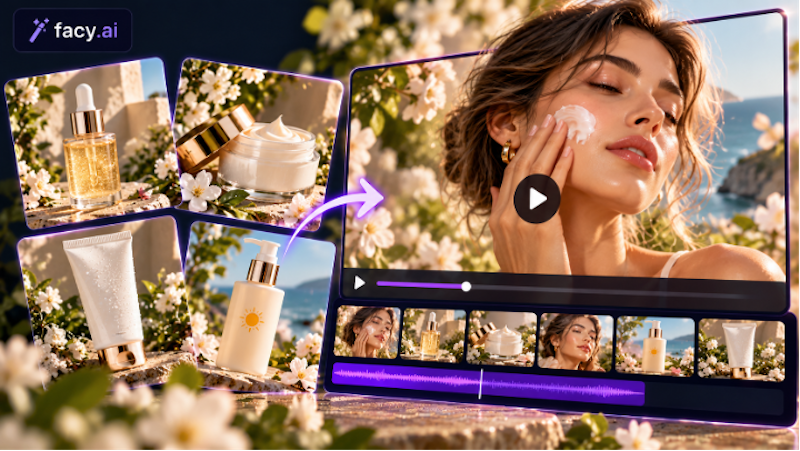
Picture a homewares retailer three weeks from a product launch. The catalogue photography is finished: a ceramic planter, a linen throw, a set of candles, each shot on white and again on a styled shelf. What is missing is movement.
The product pages could use a short loop, the paid social team wants a few vertical clips, and the seasonal campaign needs something that looks less like a catalogue. Booking a video shoot for every item is not realistic on that timeline.
This is where image to video for e-commerce deserves a closer look. An AI image to video generator turns a still photograph into a brief clip. It won't replace a film crew, but it can stretch the photographs a retailer already owns. Whether that is worth doing depends on the product, the image, and the review process behind it.
How does a photo become a product video?
Most photo to video tools use the picture as the starting frame and add movement from a short written description, such as a slow camera pan. Retailers who turn product images into videos tend to follow the same four steps:
- Pick a sharp, well-lit photograph.
- Describe a restrained movement.
- Generate a few versions.
- Finish the best one in their usual editing software, adding captions, sound, and branding.
Which products and photos suit image to video?
Simple shapes and soft materials usually behave best. Ceramics, candles, drinks, textiles, and plants give the software something forgiving to work with, particularly when the photograph is high resolution and the background is uncluttered.
Products with fine print, intricate packaging, reflective or transparent surfaces, or moving parts are riskier. So are photographs with several people in them.
What kind of movement works?
Keep it subtle: a slow camera drift toward the product, steam lifting from a mug, fabric moving in a light draft, a gentle change in light. This kind of movement suits three common retail uses. On a product page, a short loop can show texture without replacing the gallery. In a social promotion, a vertical clip can give a static launch image some life.
For a seasonal campaign, the same candle photo can be placed in a wintry scene with soft flicker.
Avoid asking for hands to pick up the product, a model to turn and speak, or a product to spin. Complex actions are where an AI video from an image most often goes wrong.
What can go wrong, and how should clips be reviewed?
The usual faults are distorted packaging, logos that warp or change spelling, colors that drift between frames, and movement that feels slightly off. Colour drift matters more than it sounds: a shopper who sees one shade in the video and receives another becomes a return.
Review every clip before it is published. Watch it without sound and at reduced speed, then pause on the opening and closing frames. Hold the original photograph next to the clip and check shape, label text, and colour. Finally, ask someone who knows the product to approve it.
The table sets static photography beside AI assisted video for typical retail decisions.
Does the workflow pay off for a retailer?
AI generated video does not automatically improve conversions, and it will not replace every professional shoot. A fair test compares four things: the time spent producing a clip, the editing effort afterwards, the number of clips that were actually usable, and how the campaign performed against a comparable one without video.
Retailers who want to try the format can start with the image-to-video page on Facy.ai, which works from a single uploaded photo and a short description of the motion.
Conclusion: start with one product
Choose a single suitable photograph, ideally a simple product with a clean image, and generate a handful of versions. Check the best clip against the original, publish it in one placement, and track the result against your usual benchmark. If usable clips arrive quickly and perform as well as the static version, widen the test. If review and fixes eat up the time you saved, keep the photograph and spend your effort elsewhere.
FAQs
1. What is a sensible length for a product clip?
Short clips suit looping product page animations and social placements. Platforms and tools set their own length limits, so check both before generating a batch.
2. Should retailers tell customers a video is AI generated?
Rules differ by platform and region, so check the relevant advertising and platform policies. Either way, the clip should show the product honestly.
3. Can a lifestyle photo work better than a white background shot?
It can. When you turn an image into a video, a styled scene gives the software more context to work with. But busy scenes, people, and small text raise the risk of errors, so those clips need closer review.
4. What does the Facy.ai image to video generator need from a retailer?
One uploaded image, up to 20 MB, which becomes the first frame of the clip, plus a written description of the motion.
5. Can retailers convert a photo to video with AI for free?
On Facy.ai's image-to-video page, new users may receive free credits to test the feature. The page doesn't say how many, and offers can change, so check the current terms before planning a batch.

Comments (0)
No comments yet.