A family video archive without chaos: assembling a story from phone files that you'll want to watch again and again
It usually starts innocently: a few videos from a trip, a couple of funny kitchen clips, a children's party, a cat in a box, rain outside. Then there are hundreds of such fragments, and at some point you realise that family memories are there, but almost impossible to find.
At that point, a video editor turns out not to be a "blogger's thing," but a very practical way to transform disparate fragments into understandable, lively, and truly valuable stories.
Why the problem isn't that you don't shoot enough
Most families film a fair amount. Sometimes even too much. The problem is this: the videos are scattered across different places and aren't archived. Some remain in the phone's gallery, some are sent to messaging apps, some are uploaded to the cloud, and some videos live on under names like VID_3849.
This creates a strange situation: the memories are there, but they're inconvenient to use. And the longer you put off sorting through them, the stronger the feeling that you "need to return to the archive someday" - and the less likely that "someday" will ever come.
It's no coincidence that the topic of data preservation and digital archives has long been considered more broadly than just home photo albums: there's a clear logic to storing and accessing materials. If you're interested, you can check out the Wikipedia article on digital archiving.
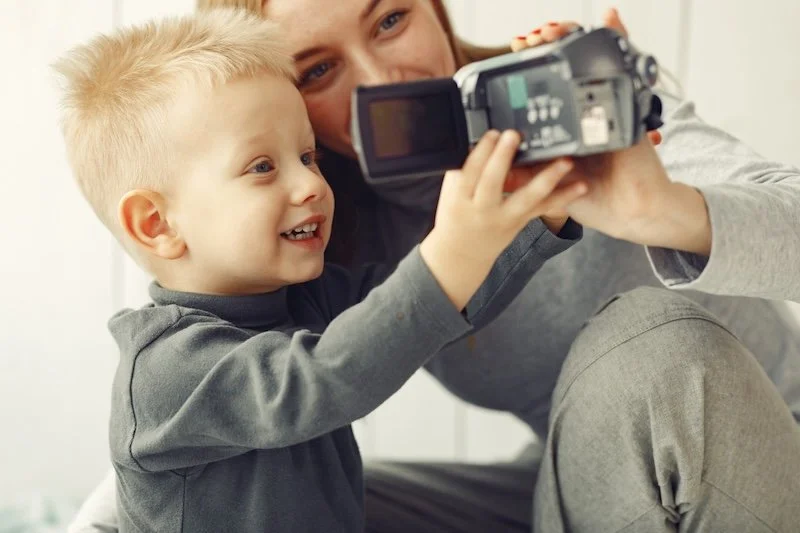
Photo credit: Freepik.
Why does a family need an online video editor?
When people search for "online video editor," "edit video online," or "video editing in browser," they often imagine social media, advertising, and short promotional videos. But one of the most common everyday scenarios is compiling family videos so they can be quickly accessed and easily watched.
This doesn't require complex installation. What you need are basic things that solve a real problem:
● cut off excess at the beginning and end;
● glue several fragments into one video;
● add a signature with date and place;
● play music in the background without drowning out the voices;
● save the result in a convenient format.
That's why queries like "video editor online," "video editor with music," "add text to video online," or "make a video from photos and videos" are so often associated not only with content for publication, but also with personal archives.
The main idea that saves time
The most common mistake is trying to make a "big, beautiful film" out of everything at once. Many people give up at this point. A much better approach is to create a series of short clips, not a film, but a series of short clips covering the events.
There's no need to edit your entire life in one evening. Just assemble one coherent episode, and the archive will begin to take shape.
What is considered a separate story?
Events, not dates, work well. For example:
● weekend trip;
● birthday at home;
● a walk in the park;
● first day of school;
● An ordinary Sunday at the dacha.
This method is useful both for storage and when you later want to edit videos online without having to search through your gallery for hours.
How to transform chaos into a living archive
1. First selection, then editing
Open the event folder and select only what captures the moment: faces, voices, movement, brief details. There's no need to save every take.
A useful guideline: it's better to have 12 successful 3-7 second snippets than 60 random videos that no one will watch.
2. Make short videos, not “family epics”
A 1-3 minute video is rewatched much more often than a 25-minute edit. This isn't a limitation, but an advantage: the short format holds attention and creates a sense of a cohesive story.
If you want to save more material, you can make two versions:
● short to view;
● long archival footage without complex editing.
3. Don't clean out everything that's not perfect.
A laugh off-camera, a broken sentence, the noise of a house, someone's comment - in a couple of years, this will be more effective than any beautiful transition. Online video editing isn't about sterility, but about removing technical noise and preserving the liveliness of the scene.
What makes a family video understandable after a few years?
Signatures that save memory
Over time, it's very easy to forget exactly where and when a video was filmed. A short caption at the beginning solves this problem in a second: "May 2025, trip to Toledo" or "First snow, December."
This is exactly the case when the “add text to video” function is not a decoration, but a navigation through memory.
Normal sound is more important than effects
It's almost always better to leave voices and atmosphere audible than to completely obscure everything with music. If there is music, let it support the mood, not compete with it.
For family videos, simplicity wins: smooth sound, clear sequence, uniform tempo.
Simple drama without “film language”
Even minimal editing becomes better if you keep the basic structure in mind:
beginning → what happens → ending
Example: arriving → walking/chatting → wide shot or calm ending.
This is enough to make the video feel like a story, not a random cut.
Why the “in-browser” format is more convenient for many
For a home archive, it's usually not the programme's power that's important, but the speed of entering a task. Open, download, trim, add a signature, save - and you're done. No need to spend half a day learning the interface.
That's why queries like "free online video editor," "browser video editing," and "online video editor for beginners" continue to be popular: people don't want a studio-style process, but a clear result.
A working plan for a year that doesn't fall apart after a week
If you want to not just "clear the rubble" but maintain your archive, it's best to choose a very easy pace. No heroics.
A simple system that usually takes hold
● For a month, put videos from one event into a separate folder.
● Select the best fragments once a month.
● Make one short video, 1-3 minutes long.
● Add date, location and 1-2 signatures.
● Save to the family year summary folder.
Over the course of a year, you'll have a collection of clear, manageable mini-stories rather than a chaotic gallery. You can watch them over dinner, send them to family, or rewatch them on holidays - without the agonising search for "where's that video?"
What's the bottom line?
Family memories are often lost not because they're scarce, but because they're stored in unrelated files. When a simple storage system and the habit of collecting short videos are established, the archive ceases to be a "project for later" and becomes a part of life. In this sense, online video editing isn't about trends, but rather a very practical thing: making important moments accessible while they still ring in your head like living voices.